Real hardware, real constraints
- Two plants with different watering needs in the same enclosure.
- A small sensor hub on a local network, with request timeouts under load.
- Automation that people can trust and override.
 ← All projects
A smart dual-plant terrarium and its live dashboard — sensors, pumps, a fan and a grow light, built as a group project for the Interactive Systems course.
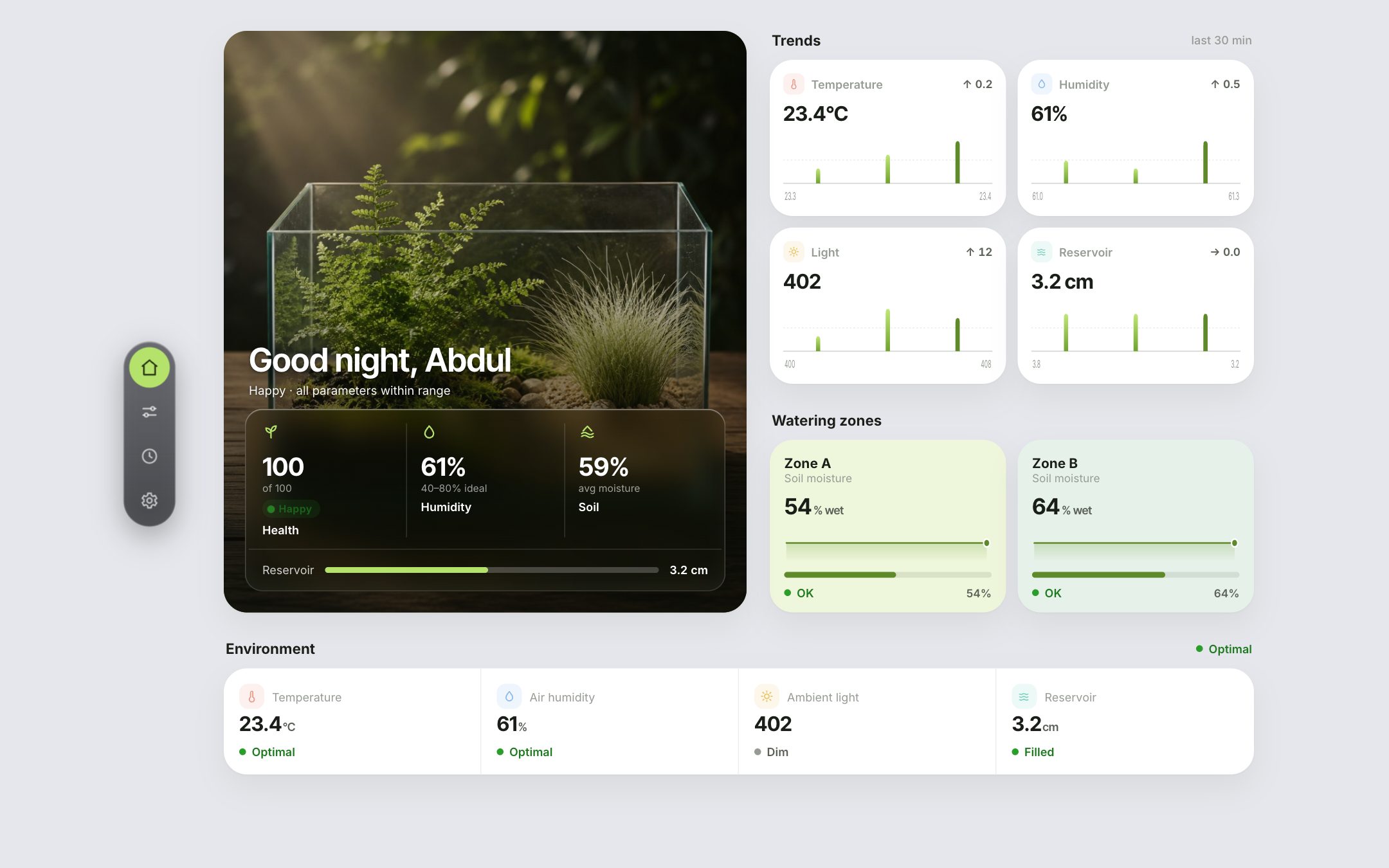
EDEN is a smart terrarium with two independent watering zones. An ESP32 sensor hub reads soil moisture, temperature, humidity, light and the water reservoir, and drives two pumps, a fan and a grow light. The web dashboard turns those readings into a calm, glanceable view and lets you take over manual control.
A single health score plus humidity, soil and reservoir levels on the home screen.
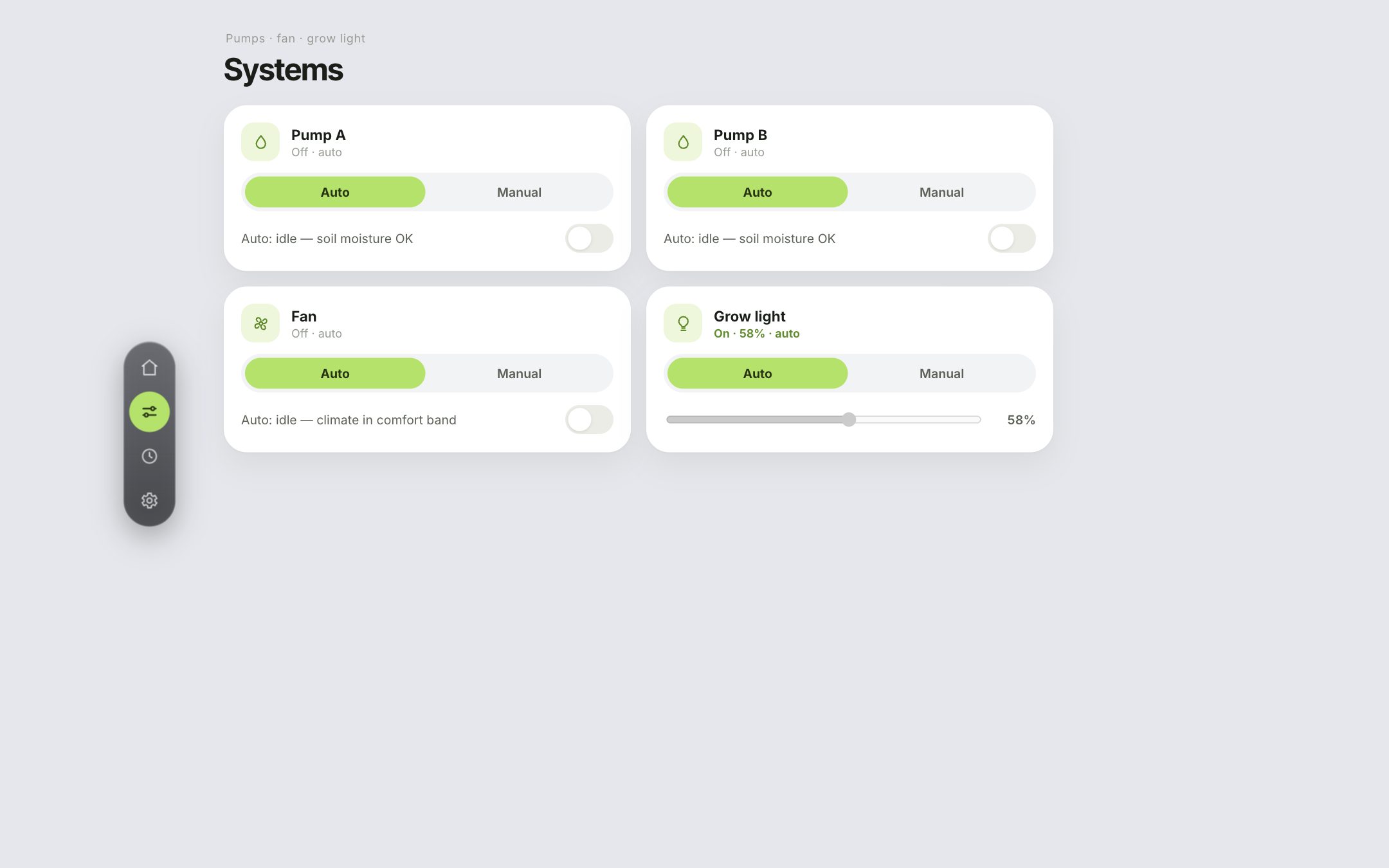
Auto or manual control of Pump A, Pump B, the fan and the grow light.
Installable PWA with a demo mode that simulates the terrarium when the device is unreachable.
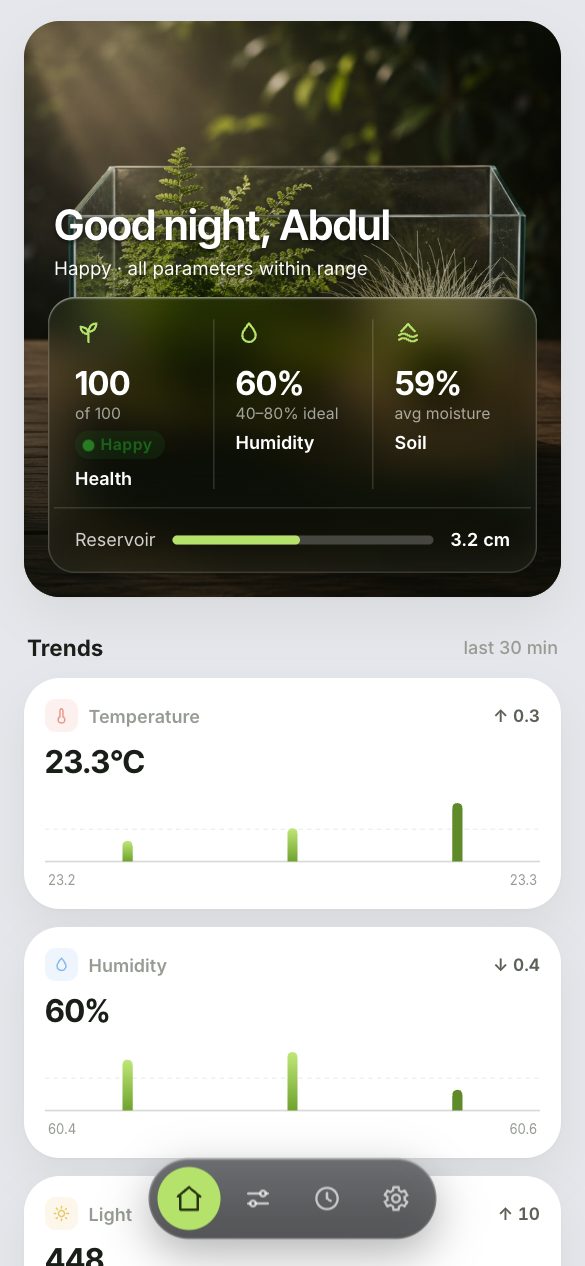
The dashboard was designed for a phone next to the terrarium, then extended to a two-column desktop layout.
EDEN’s firmware decides when to water, ventilate and light the terrarium. Both views run the same thresholds as esp32s.ino.
A noisy soil sensor hovering around a single threshold would switch the pump on and off constantly. The firmware’s 40–60% hysteresis band turns that into a few long watering cycles. Toggle to compare both rules on identical readings.
Simulation with the firmware thresholds and a seeded sensor-noise model: illustrative, not logged sensor data.
Drag any sensor value. The fan, pump and grow light react the way the dashboard’s auto mode does, including the safety lock that blocks the pumps when the reservoir runs low.
Rules from esp32s.ino: fan outside 18–28 °C or 40–80% humidity; pump on below 40% soil, off above 60%; pumps blocked when the water is more than 4.5 cm from the sensor.
Building for real hardware changes priorities: graceful failure, clear status and trustworthy automation matter more than features. Working in a team also meant agreeing early on the data contract between the device and the dashboard.
A portfolio website for a wedding and portrait photography studio — built to let the photographs lead.